Concept
PicHub is a photo sharing platform built around creator monetization. Photographers organize their work into albums, set them as free or Pro, and subscribers pay for access. It blends the social feed of Instagram with the paywall model of Patreon — designed specifically for visual creators who want to own their audience.
Design Goals
Creator-first
Portfolio, album grid, subscriber count, earnings — everything a photographer needs to present their work without a separate website.
Monetization
Clear separation of free and Pro content. Subscription tiers with free trial. A paywall that feels like an upgrade, not a block.
Immersive browsing
Full-screen viewer, sliding carousels, story-style avatars — content is always the protagonist, UI stays out of the way.
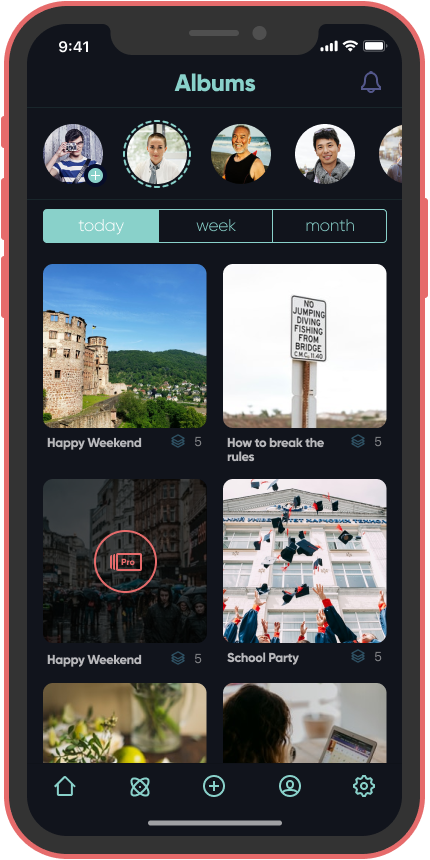
Home Feed
Story-row avatars at the top surface new creators passively — no need to actively search. The two-column grid below mixes free and Pro albums, with Pro badges visible in the grid to create aspiration rather than frustration.
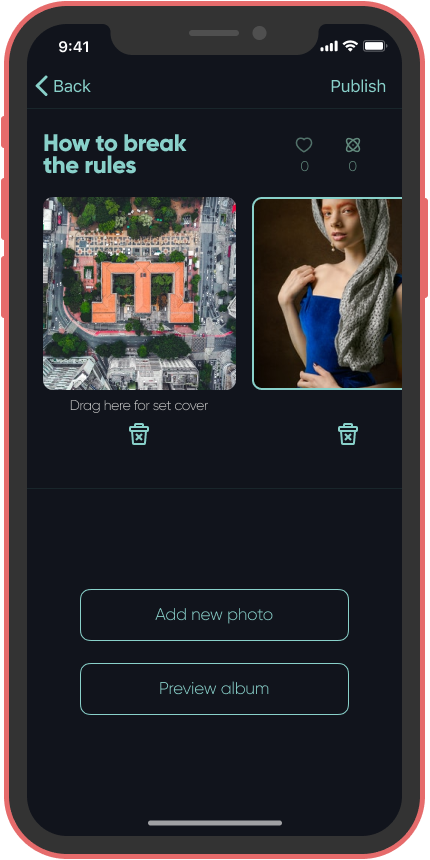
Album View
Albums open into a scrollable photo grid with the album title and creator info pinned at the top. Pro albums blur thumbnails until subscribed — enough to tempt, not enough to frustrate.
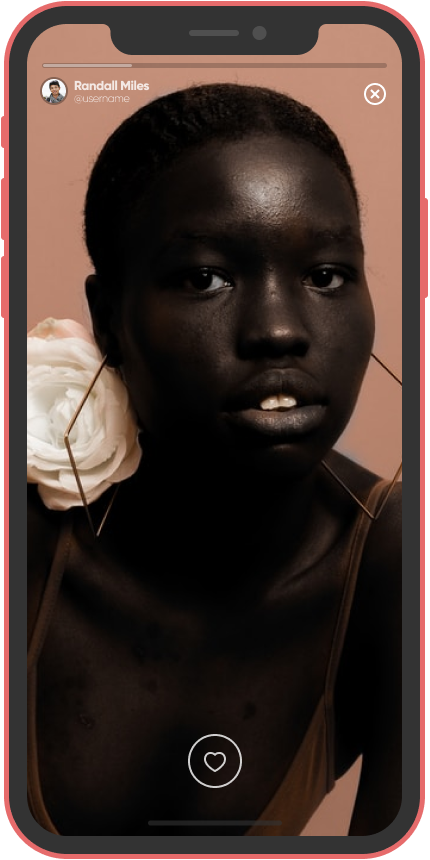
Slideshow
Photos open into a full-screen horizontal swipe view. Creator attribution sits at the bottom — name, username, like button. Nothing else. The image fills the entire screen.
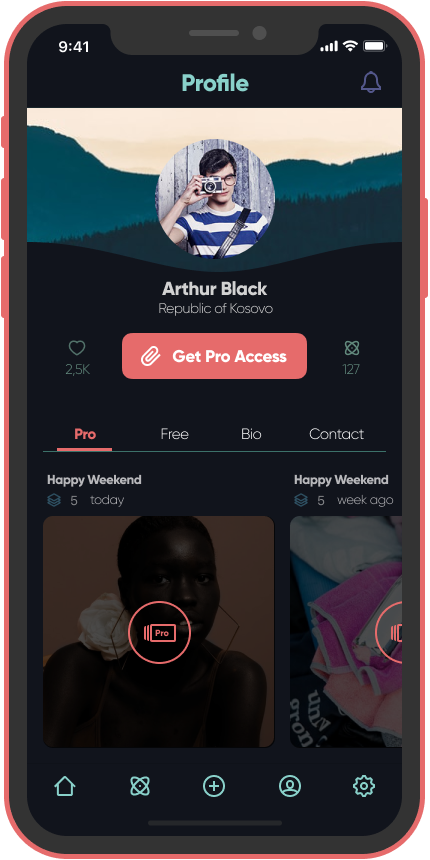
Creator Profile
Cover photo, avatar, location, total likes, album count — and the Pro access CTA prominently placed. Tabbed content (Pro / Free / Bio / Contact) keeps the page clean while surfacing different content for different visitor intentions.
Subscription
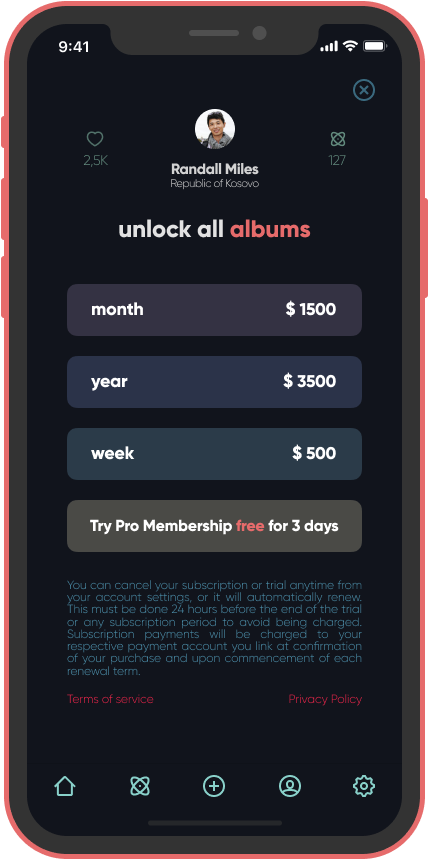
Three tiers (week / month / year) presented as cards with a clear price hierarchy. Free trial CTA is the primary action — reducing conversion friction and letting users experience Pro before committing.

Album Creation
Drag-to-set cover photo, title input, photo grid — then publish. The editor is tactile and visual, letting creators preview the album exactly as subscribers will see it before it goes live.
Key Decisions
"A portfolio tool and a monetization engine in the same pocket. Built for photographers who are done giving their work away for free."